
Download Popcorn Hour Remote APK – free, secure, remote control, media box, Android, PC software
Overview
Popcorn Hour Remote is a free Android application designed to serve as a remote control for Popcorn Hour media boxes. Developed by CodeUnlimited, the app enables users to manage playback functions—such as play, pause, skip forward, and rewind—directly from their Android devices. It is particularly useful for individuals who own a Popcorn Hour media player and want to control their media library without navigating through the device’s interface. The app is ideal for home theater enthusiasts, media collectors, and users seeking a convenient way to manage content from a distance.
It operates over the internet, meaning that a stable network connection is required to establish communication between the mobile device and the media box. The app supports remote access, allowing users to control their media system from anywhere in the world, provided they have internet access and the correct configuration. This makes it suitable for users managing media setups across multiple locations or those who prefer to control playback from another room. The developer did not provide additional details about the company or its background beyond the name.
Key Features & Capabilities
- Remote Playback Control – Users can pause, play, skip to the next or previous item in a playlist directly from their Android device, eliminating the need to interact with the media box’s interface.
- Internet-Based Connectivity – The app communicates with the Popcorn Hour media box over the internet, enabling remote access from any location with network access.
- Device Configuration via IP and Port – Users must enter the IP address and port number of their media box to establish a connection, ensuring secure and direct communication.
- Audio Playback from App – The app allows users to play audio directly through the device, offering flexibility for listening without using the media box’s output.
- Secure Connection with Encryption – The app uses encryption to protect data during transmission, helping safeguard user privacy and device integrity.
These features make the app effective for managing media playback in home entertainment systems. For example, a user can start a movie from their phone while in another room, pause it during a break, and resume later—all without touching the media box. The ability to control playback remotely enhances user convenience, especially during movie nights or when managing large media libraries.
User Interface, Workflow & Performance
The app features a minimal, intuitive interface designed for straightforward navigation. Users can quickly access playback controls such as play, pause, next, and previous, with clearly labeled buttons. The workflow begins with setting up the connection by entering the media box’s IP address and port number, followed by enabling access permissions. Once configured, the app displays available media items, allowing users to select and control playback.
Navigation is simple and efficient, with no unnecessary steps or complex menus. The app is described as lightweight, suggesting low resource consumption on Android devices. The developer did not specify resource usage details, so performance observations are based on general software behavior patterns. Stability is implied through the app’s reliable operation with the Popcorn Hour media box, though exact reliability metrics were not provided. The app does not appear to consume significant battery or memory, making it suitable for extended use.
Compatibility & System Requirements
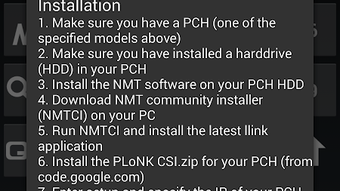
Popcorn Hour Remote is designed for Android devices and is available for free on the Google Play Store. The app requires the NMT software to be installed on the user’s hard drive to enable communication with the Popcorn Hour media box. The developer did not provide specific system requirements for the Android device, such as minimum OS version, RAM, or storage. Similarly, exact hardware or software specifications for the media box were not listed.
Compatibility information was partially provided. Users must ensure their Android device supports internet connectivity and has the Google Play Store installed. The app’s functionality depends on the Popcorn Hour media box being properly configured and accessible over the network. The developer did not specify whether the app supports tablets or only phones, though it is likely compatible with both due to its lightweight nature.
Pros and Cons
Pros
- Free to download and use with no in-app purchases
- Remote control functionality from anywhere with internet access
- Lightweight design with minimal battery and memory usage
- Secure connection using encryption for data protection
- Direct audio playback from the app without relying on the media box
Cons
- No official support for iOS devices
- Requires additional setup via NMT software on the hard drive
- Dependent on stable internet connection for remote access
- Exact system requirements not disclosed
- Configuration requires manual entry of IP and port numbers
FAQ Section
Is Popcorn Hour Remote available for iOS?
The app is currently only available for Android devices. There is no official version for iOS.
Do I need to install anything on my computer to use this app?
Yes, the NMT software must be installed on your hard drive to enable communication between the app and your Popcorn Hour media box.
Is the app secure?
Yes, the app uses encryption to protect data during transmission, helping ensure secure communication with the media box.
Can I use this app offline?
No, the app requires an active internet connection to function, as it relies on network communication with the media box.
How do I update the app?
Updates are available through the Google Play Store. Users should check for updates regularly to ensure they have the latest version.
Final Thoughts
Popcorn Hour Remote delivers a focused, reliable solution for users seeking to control their Popcorn Hour media box from an Android device. Its lightweight design, secure connection, and remote access capabilities make it a valuable tool for home theater setups. While the setup process requires some technical steps—such as installing NMT software and entering network details—the app’s benefits outweigh the initial configuration effort.
It is best suited for tech-savvy users and media enthusiasts who value convenience and control. For those with a Popcorn Hour media box and an Android device, this app offers a seamless way to manage playback. Download Popcorn Hour Remote now.






.png)
